
What Actually Helps You Study: a Buying Guide, and What Not to Buy
The three items most worth starting with are a laptop stand with a keyboard, filtered earplugs and a physical timer. Together they cost less than one expensive accessory, and each solves one clear problem. Beyond those, this guide is organized by what's actually bothering you, and every problem gets both a cheap fix and an expensive one.
One rule before starting: don't buy anything for a problem you haven't hit yet. Wait two weeks into the semester, see what actually breaks you, and then buy. Most gear bought in September out of enthusiasm is sitting in a drawer by November.
1. You can't concentrate because of noise
This is the most common problem, and it has two completely different solutions — and the difference between them depends on the kind of noise that bothers you, not on your budget.
| Comparison | Noise-cancelling headphones (ANC) | Filtered earplugs |
|---|---|---|
| Best against | Uniform, continuous noise — AC, a fan, traffic | The whole range, including speech |
| Weak against | Speech and sudden sounds — exactly what a library has | Doesn't eliminate, only lowers |
| Charging | Required | No |
| Comfort over 3 hours | Depends on the pads; warms the ear | Light, but take getting used to |
| Price | The most expensive item in this guide | Among the cheapest |
The point that surprises people: ANC works best on steady sounds, and less well on the human voice. If what pulls you out of focus is a conversation at the next table — there's a good chance earplugs at a tenth of the price will do a better job.
What to check before buying headphones
- Fit type — over-ear blocks more physically than in-ear, but warms up over a long session
- Transparency mode — lets you hear announcements without taking them off. More useful than it sounds
- Battery over 20 hours — a full study day without thinking about it
- Weight — over 300 grams is felt after two hours
An AliExpress-specific warning: ANC is the weak category there. The chip that does the noise cancelling is the expensive part, and in cheap knockoffs it's usually weak to nonexistent — even when the box says ANC. If you're going for noise-cancelling headphones, this is a category to buy from a known brand. Earplugs, by contrast, are a simple mechanical product — and there the gap between cheap and expensive is far smaller. If you still want ANC from there, buy from an official brand store rather than an anonymous listing — for example HAYLOU Flowbuds N55, sold in the brand's official store with a 4.7 rating and over 1,000 reviews.
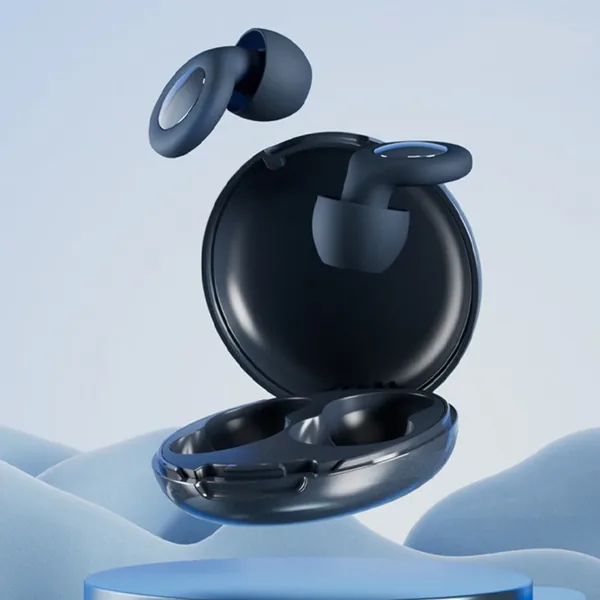
Filtered earplugs for concentration
An example that meets the criteria above: comes with several tip sizes, and it's the fit to your ear that decides whether it works. A simple mechanical product — the category where the gap between cheap and expensive is small.
View on AliExpress2. You handwrite on a screen and it's slippery
Most students today take notes on a tablet with a stylus rather than in a notebook, and rightly so: it's faster, everything lives in one file, and you can fix without erasing. One physical problem remains — glass is a slippery surface, and the pen slides on it. A paper-feel matte screen protector is probably the cheapest upgrade you'll make to your study experience. It adds friction, and the writing becomes more precise because the pen stops sliding.
What's worth knowing beforehand:
| The choice | What to consider |
|---|---|
| Texture strength | Rougher = a better paper feel, but a less sharp screen and faster pen-tip wear. Fine = a good compromise for anyone who also watches video |
| Adhesive vs. magnetic | Magnetic or removable lets you take it off for movies; adhesive feels better but is permanent |
| Model match | The common mistake. A protector for a different generation doesn't line up with the camera and corners — verify the exact model |
Two side costs worth knowing up front: the screen gets slightly less sharp and vivid, and the pen tip wears faster from the friction. Both are worth it for anyone who writes a lot, and irrelevant for anyone who doesn't write on the screen at all.
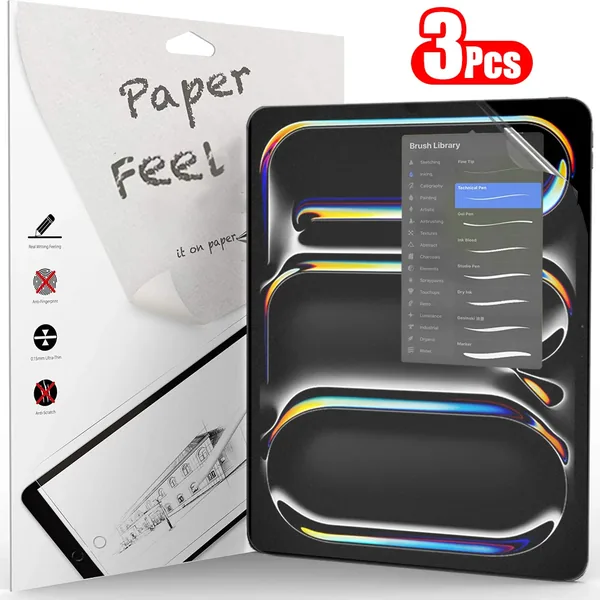
Matte screen protector for tablets
A pack of three, so there's room for error on the first application. Verify the match to your exact model — that's the common mistake, and a protector for a different generation won't line up with the camera.
View on AliExpressAnd the stylus itself
The protector takes care of the surface, but half the feel comes from the pen. A stylus without palm rejection is the item least worth saving money on — without it you get stray lines every time your hand rests on the screen, and you end up writing with a hand hovering in the air. Three things to check: palm rejection, tilt sensitivity (without it the handwriting comes out flat), and a match to the exact generation of your tablet.
Styluses with palm rejection work only on iPads. That's the common confusion in this category: the technology leans on Apple's touch layer. On an Android tablet such a stylus will behave at best like a simple capacitive pen, even if the product page says “Universal”.
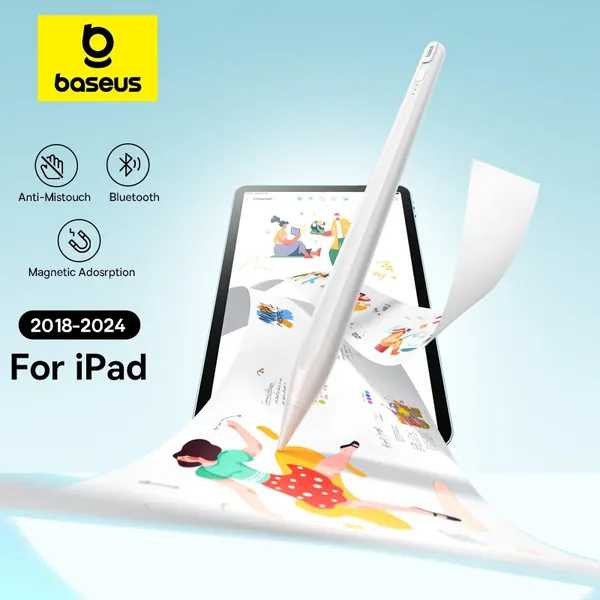
iPad stylus with palm rejection and tilt
A known brand, with the three things from the list: palm rejection, tilt sensitivity and magnetic attachment to the iPad's side so it doesn't roll around your bag. Compatible with iPad models from 2018 on — verify your generation before ordering.
View on AliExpress3. Your back and neck hurt after two hours
That's not a stamina problem, it's a height problem. A laptop screen sits about 30 centimeters below eye level, and your neck pays for it. A laptop stand is the cheapest fix for long sitting that exists — and most students discover it only in third year.
But watch the catch: the moment you raise the screen to eye level, the keyboard rises with it — and your hands end up at a worse angle than before. A stand without an external keyboard solves one problem and creates another. Plan them as a kit, not as two separate items.
What to check in a stand
- Aluminum vs. plastic — plastic wobbles under a heavy laptop. Aluminum also helps dissipate heat
- Folding or fixed — if you study on campus, folding is the difference between using it and leaving it at home
- Height range — a fixed-height stand either fits you or it doesn't. Adjustable is worth the extra
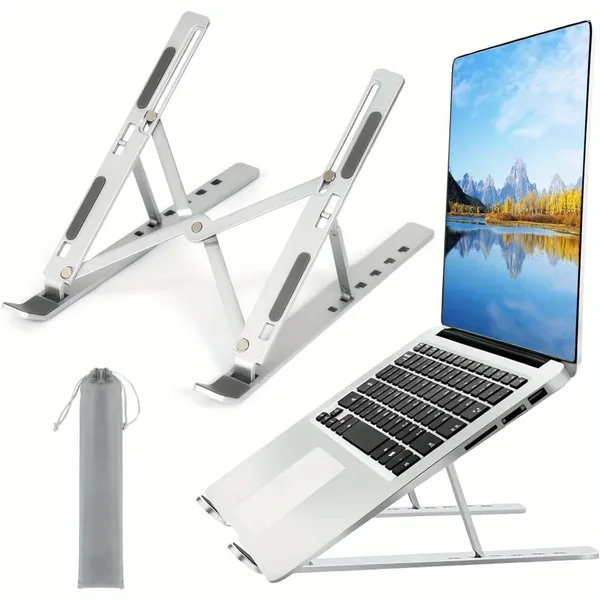
Folding aluminum laptop stand
Six heights, aluminum, and folds into a pouch — the three criteria above. Remember it requires an external keyboard, otherwise you've solved one problem and created another.
View on AliExpressAnd if your screen is a tablet, the problem is exactly the same. A tablet lying flat on the desk is even worse for the neck than a laptop, because the angle is steeper. The difference is that a tablet has two distinct modes: for handwriting you want it low and nearly flat, and for watching a recorded lecture you want it at eye level. A stand with genuine height range does both; a pillow stand does only the second.
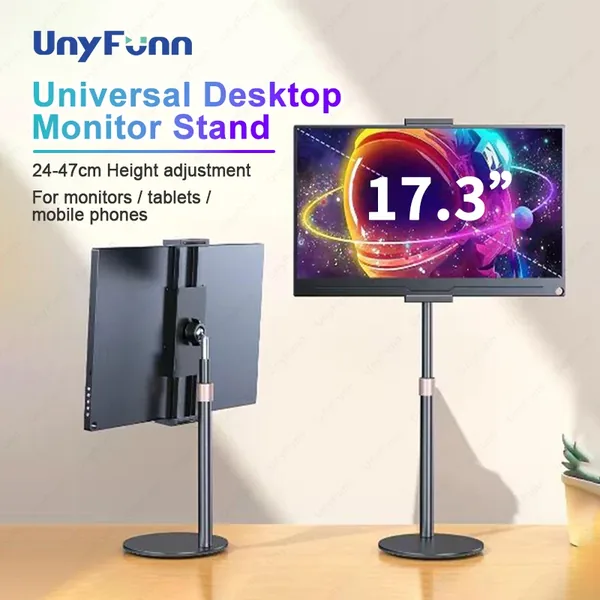
Adjustable desktop tablet stand
A telescopic column with a height range of 24 to 47 cm — that's the figure that matters here, not the device size. Metal, and it also holds a portable monitor up to 17.3″, so it doesn't get thrown out if you switch devices.
View on AliExpress4. Your phone steals the time
There's a logical flaw here worth noticing: a focus app runs on the phone, which is itself the distraction. It's like keeping the cookies in a transparent jar. The physical solutions work better precisely because they take the phone out of the equation.
- A physical timer — turn it over and put it on the desk. The time stays visible without touching a screen
- A lockbox with a timer — more extreme, and effective for anyone genuinely struggling
Check that the timer is silent. Some mechanical timers tick, which rules out library use — and at home it's more distracting than the phone. Look explicitly for a mention of silent operation, or vibration instead of a ring.
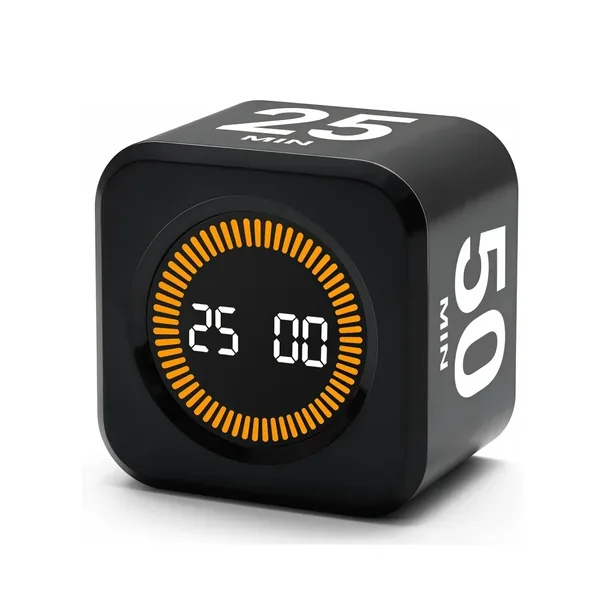
Cube timer with a motion sensor
Flip the cube onto the side you want and the countdown starts — no screen and no app. An LED display readable from a distance, and no mechanical ticking that would rule out library use.
View on AliExpress5. Your battery dies on campus
A boring problem with a simple solution, but one trap: if you want to charge a laptop, capacity isn't enough — you also need wattage. Look for USB-C PD support at a power level that fits your machine. A giant power bank without PD will charge a phone beautifully and a laptop not at all.
Claimed capacity on AliExpress is the least reliable number in the category. Inflated figures are the norm there. One good signal: weight. A genuine 20,000mAh power bank weighs around 350–400 grams — if the listed weight is significantly lower, the number probably isn't real.
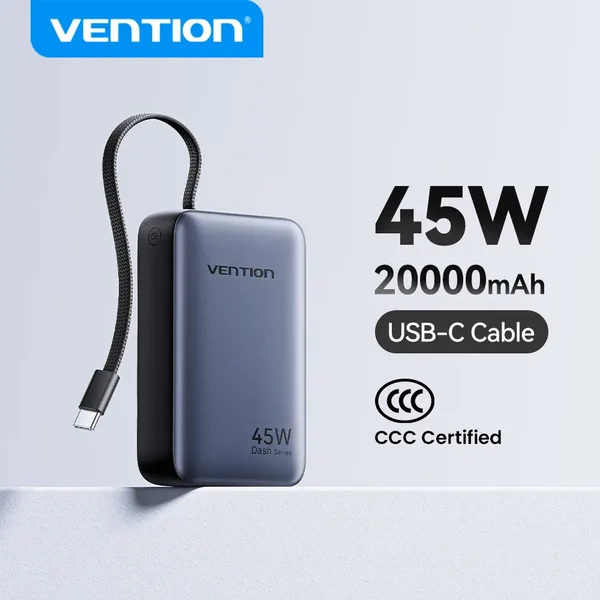
20,000mAh power bank with 45W USB-C PD
This is exactly the category where a known brand beats a low price — the number on the box is only worth as much as the company behind it. 45W over USB-C PD is enough for most light laptops, and the cable is built into the device — one less thing to forget at home.
View on AliExpress6. Your tablet commutes with you every day
Once all your notes live on one device, that device is also all of your material — and it rides every morning in a bag with keys, a water bottle and a charger. A padded sleeve is cheap insurance, and unlike a case that stays on the device, it adds no thickness while you write.
Two points before buying: size is measured in inches, not by model name — check your tablet's screen size, not its year. And at least one outer pocket is worth the difference, because that's where the stylus and charger go; without it they roll around the bag separately, which is exactly what you wanted to prevent.
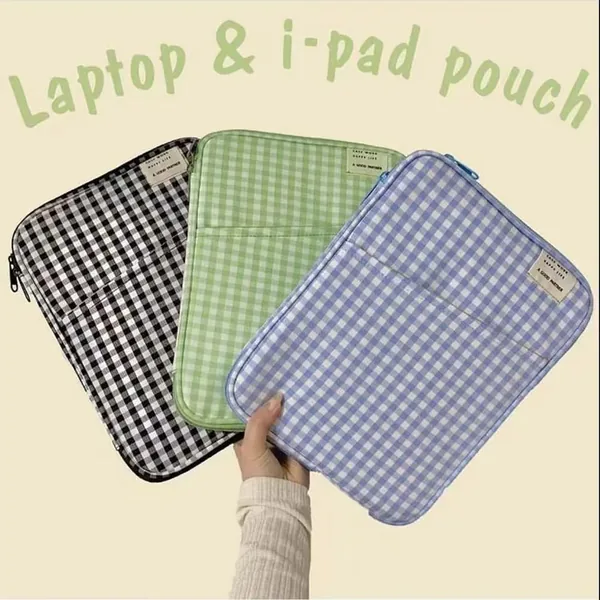
Padded tablet sleeve with a pocket
Padding, a zipper and an outer pocket for the stylus and charger. Comes in two sizes — 9.7–11″ and 12.9–14″ — so choose by your screen size, not by the device generation.
View on AliExpress7. Attention is what fails first when you don't drink
Of all the cognitive domains measured in the context of dehydration, attention is the one hit hardest — and that's exactly what a study session leans on. A 2018 meta-analysis pooling 33 studies and 413 participants found dehydration impairs attention with an effect size of −0.52, more than motor coordination (−0.40) and executive function (−0.24), while reaction time barely moved (−0.10).
And in two studies on mild dehydration, around 1.4%–1.6% of body weight, in men there were more errors on a vigilance task and slower working memory, while in women most performance measures didn't move — but fatigue, perceived difficulty, concentration and headaches did. In other words, before performance drops, studying simply feels harder.
How much water should you drink a day?
The European Food Safety Authority set an adequate intake of 2 liters a day for women and 2.5 liters for men. Two things almost always misquoted: that's total fluids, including what comes from food and any other drink, not just water; and it applies to moderate temperature and activity — on a hot day or after a workout the number rises.
Here's the simplest thing a bottle does, and almost nobody thinks of it: it measures. “Drink enough” is an abstract goal you can't track; “refill the 750ml bottle three times” is a count. Once you know the capacity, the daily goal becomes something you see on the desk instead of guessing at.
And why insulated, specifically
Here the finding runs against intuition. In a test of four drinking temperatures, it was cool water, around 16°C, that produced the highest voluntary intake — more than 5°C water. Ice water doesn't make you drink more; cool water does. The range recommended for palatability is 15–21°C.
That's exactly what insulation does: it holds the water in that range through the evening, instead of letting it warm to room temperature within an hour. An ordinary plastic bottle fails here twice — the water warms and you drink less, then you get up to refill, and every departure from the desk also costs the return to the material.
And what the research does not show: that drinking beyond what your body needs adds anything. The benefit comes from closing a deficit, not from adding on top of it, and there's evidence that overdrinking is actually associated with worse attention and working memory. The measured impairment also strengthens above a 2% loss of body weight — about a 1.4 liter deficit for a 70kg person, meaning a full day of seriously not drinking. The goal isn't to chase a number, it's not to get there.
What to check in a bottle:
- 304 stainless steel with a vacuum wall — that's what creates the insulation. Without it, it's a nice jug
- A capacity you can remember — it's your measuring tool. 750ml × 3 is easy to count; a round number beats a precise one
- A capacity that fits the session length, not the photo. A liter and a half is weight in the bag all day
- A lid that opens one-handed — a screw cap means putting down the pen or taking a hand off the keyboard
- It should fit the bag's side pocket. A bottle that rides inside the bag with the laptop is a matter of time
Honest note on this section: the research justifies drinking, not buying. A glass and a tap do the same job for free. What the bottle buys you is water that stays at the temperature that makes you drink it, and not having to get up to refill.
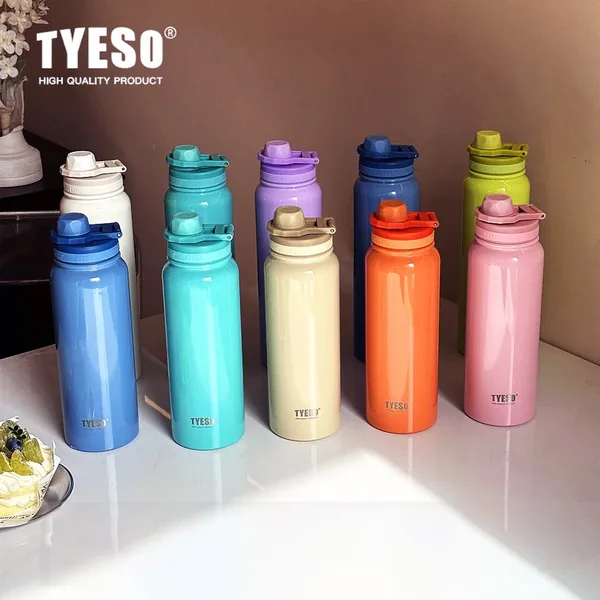
Insulated stainless steel bottle
304 stainless steel with a vacuum wall and a push-open lid. Comes in 600, 750, 1,050 and 1,200ml — choose the capacity that's easy to count your day in, not the biggest number, because you carry the difference on your back.
View on AliExpressWhat not to buy
This section costs me money, and it's the most important one in the guide.
| What | Why not |
|---|---|
| A cheap stylus without palm rejection | The stylus is the difference between a tablet that replaces a notebook and a tablet that frustrates. Without palm rejection you get stray lines every time your hand rests on the screen, and without pressure sensitivity the handwriting comes out flat. It's the item least worth saving on |
| Paid focus apps | They run on the distraction device itself. A physical timer for a few dollars does the job better |
| Expensive printed planners | The abandonment happens in week three, not because of the planner but because nothing has an hour in the schedule. A plain notebook does the same in the meantime |
| Blue-light-filtering glasses | Sold as a solution for studying at night, and the evidence for the benefit is far weaker than the marketing implies. A break from the screen does more |
How to shop on AliExpress without getting burned
- Delivery time before anything. Standard shipping can take weeks. If you're buying for the semester, check the estimated arrival date before the price
- The number of reviews matters more than the rating. 4.9 out of 12 reviews says less than 4.6 out of 3,000
- Read the reviews with photos. They come from real buyers and show the product as it arrived
- A local warehouse, where available — arrives much faster, usually for a small premium
- Avoid chip-dependent categories — ANC, measurement, electrical safety. Simple mechanical items are the strength there
Summary: the three items I'd start with
- A laptop stand with a keyboard — the most impact per unit of money, especially for long sessions
- Filtered earplugs — cheap, simple, and they work on precisely the noise that bothers most
- A physical timer — a few dollars that get the phone off the desk
All three together cost less than one expensive accessory, and each solves a problem you can point at. That's the best yardstick I know for study gear: if you can't phrase the problem in one sentence, you don't need the product.
Frequently asked questions
Noise-cancelling headphones or earplugs for studying?
It depends on the kind of noise. Active noise cancellation excels at continuous, uniform noise — air conditioning, a fan, traffic — and is weaker on speech, which is exactly what's distracting in a library. Filtered earplugs lower the whole range including speech, cost far less and need no charging. If background conversation is what breaks your focus, you'll usually find the earplugs actually work better.
Is a paper-feel screen protector for the iPad really worth it?
Yes. For anyone taking handwritten notes on a tablet it's one of the cheapest items with the biggest impact. It adds friction that makes writing more precise and stops the pen from sliding. Two side costs: the screen gets slightly less sharp for video, and the pen tip wears faster. If you don't write on the screen, you don't need it at all.
How do you choose a stylus for the iPad for studying?
Three things decide it. Palm rejection — without it you get stray lines every time your hand rests on the screen, and you end up writing with a hovering hand. Tilt sensitivity — without it the handwriting comes out flat. And a match to the exact generation of your iPad. Note that styluses with palm rejection work only on iPads, because the technology leans on Apple's touch layer; on an Android tablet such a stylus will behave at best like a simple capacitive pen, even if the product page says “Universal”.
What should I buy before starting university?
Almost nothing beyond what you already have. Wait two weeks into the semester, see what actually gets in your way, and only then buy something for that problem. Most gear bought in September out of enthusiasm is sitting in a drawer by November.
What's the best value study gear on a low budget?
The three items with the best price-to-impact ratio are a laptop stand, filtered earplugs and a physical timer. All are cheap, all solve a specific, tangible problem, and none of them requires a complicated technical decision. Expensive items like ANC headphones are worth considering only after it's clear the problem they solve actually exists for you.
What should you not buy for studying?
A cheap stylus without palm rejection if you write on a tablet, focus apps that run on the very phone that is the distraction, and expensive printed notebooks and planners that get abandoned by week three. Blue-light-filtering glasses are also sold as a solution for studying at night, and the evidence for their benefit is far weaker than the marketing implies.
The item you can't buy
None of the things on this list will solve the genuinely common problem: not knowing when to sit down for what. That's not a gear gap, it's a plan gap.
Focusity imports your timetable and assignments and lays out study blocks in the free time that's genuinely left — around your classes and shifts. Free, and with nothing to buy.
Build my plan — free